

PatchCleaner Safely Clean Installer Files
PatchCleaner helps you safely identify and remove unused Windows installer files to free disk space without harming installed programs or system stability.
- 100% Free
- Lightning Fast
- Safe & Secure
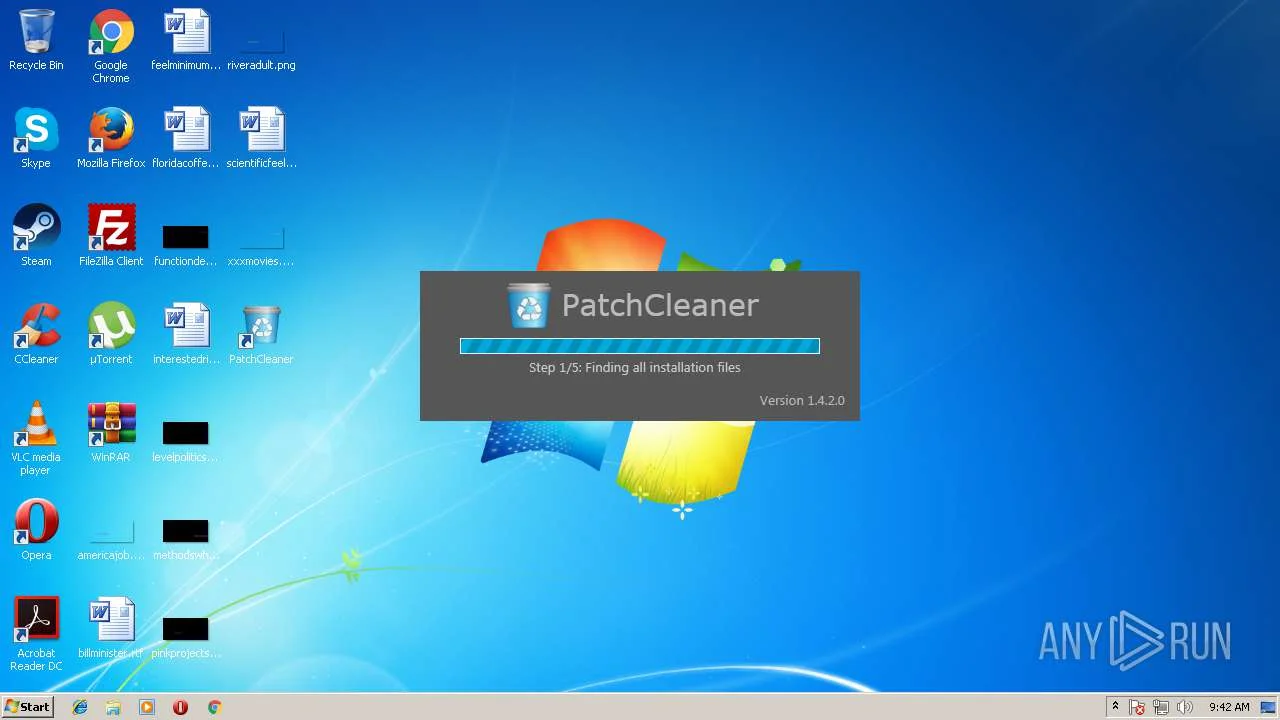
About PatchCleaner
What Is PatchCleaner ?
PatchCleaner is a lightweight Windows utility designed to help users safely identify and clean up unused Windows Installer files. Over time, Windows stores installer and patch files (MSI and MSP) that are no longer required by any installed program. These leftover files silently consume valuable disk space, especially on the system drive.
PatchCleaner scans the Windows Installer directory and accurately distinguishes between files that are still in use and those that have become orphaned. Instead of risky manual deletion, it provides a secure and automated way to manage these files, helping users recover storage space without affecting system stability or installed applications.
Clean Unused Installer Files
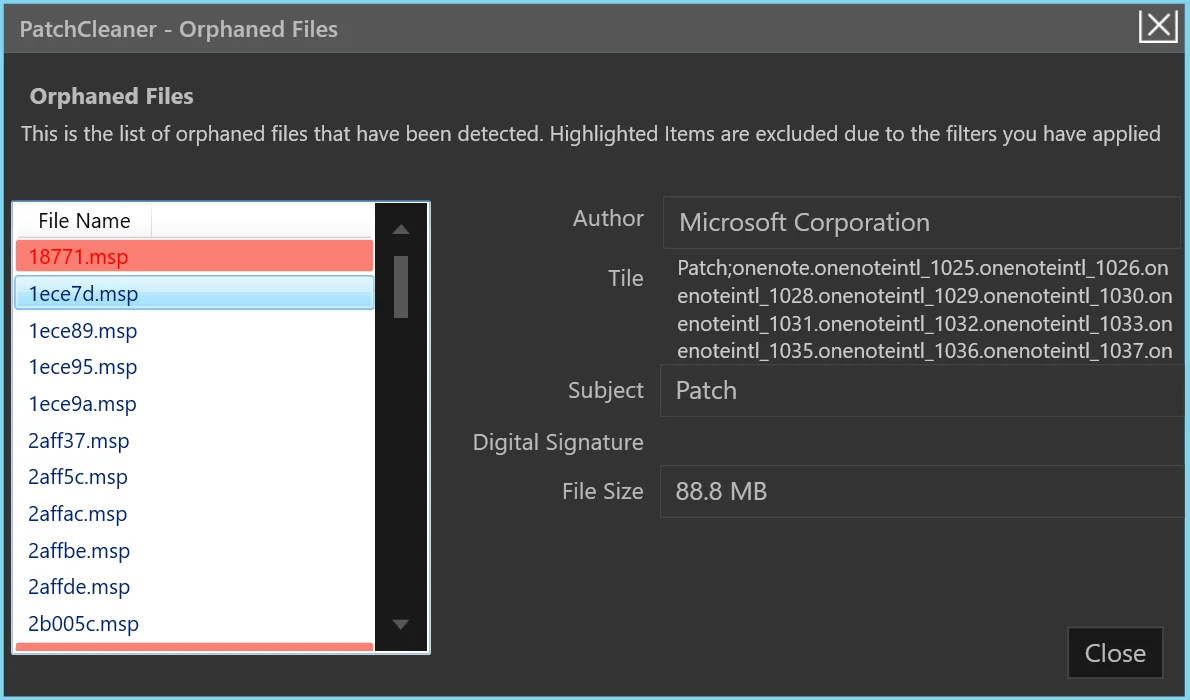
PatchCleaner scans the Windows Installer folder and detects orphaned MSI and MSP files that are no longer linked to any installed program.
Safe & Reliable Cleanup
It ensures only unused files are selected, giving you a safe option to move files before deleting them permanently.
Free Up Disk Space
By removing unnecessary installer patches, PatchCleaner helps recover valuable storage and keeps your system organized.
Powerful Features
Key Features of PatchCleaner
PatchCleaner offers a powerful yet safe way to clean unused Windows Installer files. With intelligent detection, a secure cleanup process, and a lightweight design, it helps users recover disk space without risking system stability or requiring technical expertise.
Intelligent Installer File Detection
PatchCleaner automatically scans the Windows Installer directory to accurately identify unused MSI and MSP files that are no longer linked to active programs—eliminating manual guesswork and cleanup risks.
Key Benefits:
- Detects orphaned installer files
- Differentiates active vs unused data
- Prevents accidental file removal
- Maintains system stability
Safe Move Before Delete
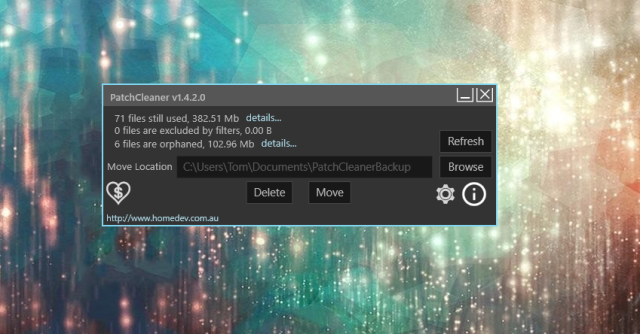
Instead of permanent deletion, PatchCleaner safely moves unused installer files to a secure location, allowing easy recovery and ensuring a completely risk-free cleanup process.
Key Benefits:
- Recovery-friendly cleanup
- Prevents permanent data loss
- Ideal for beginners
- Safer than manual deletion
Lightning Fast Scanning Engine
Powered by a lightweight engine, PatchCleaner scans installer references in seconds while using minimal system resources—without slowing down your PC.
Key Benefits:
- Rapid scan and cleanup
- Low CPU and memory usage
- No background slowdowns
- Instant results
One-Click Cleanup Interface
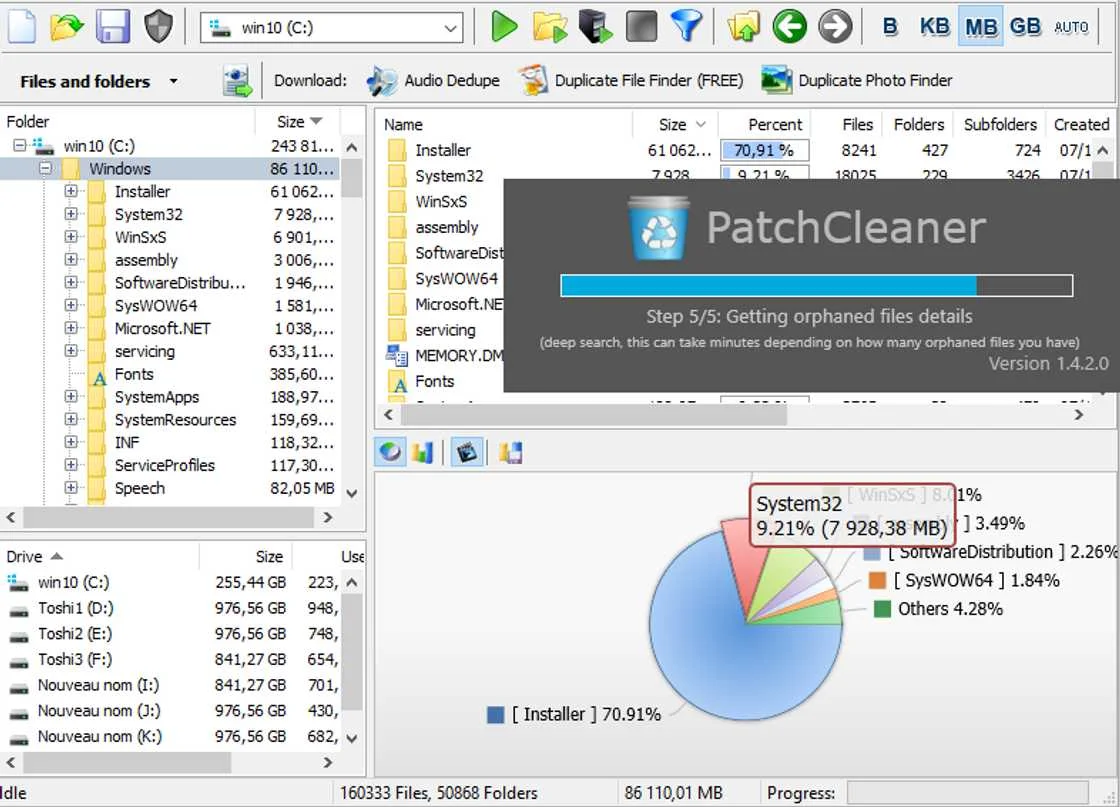
With a clean and intuitive interface, PatchCleaner allows users to clean unused installer files with a single click—no technical skills required.
Key Benefits:
- Simple and user-friendly UI
- Beginner-friendly design
- No complex steps
- One-click operation
Portable & Installation-Free
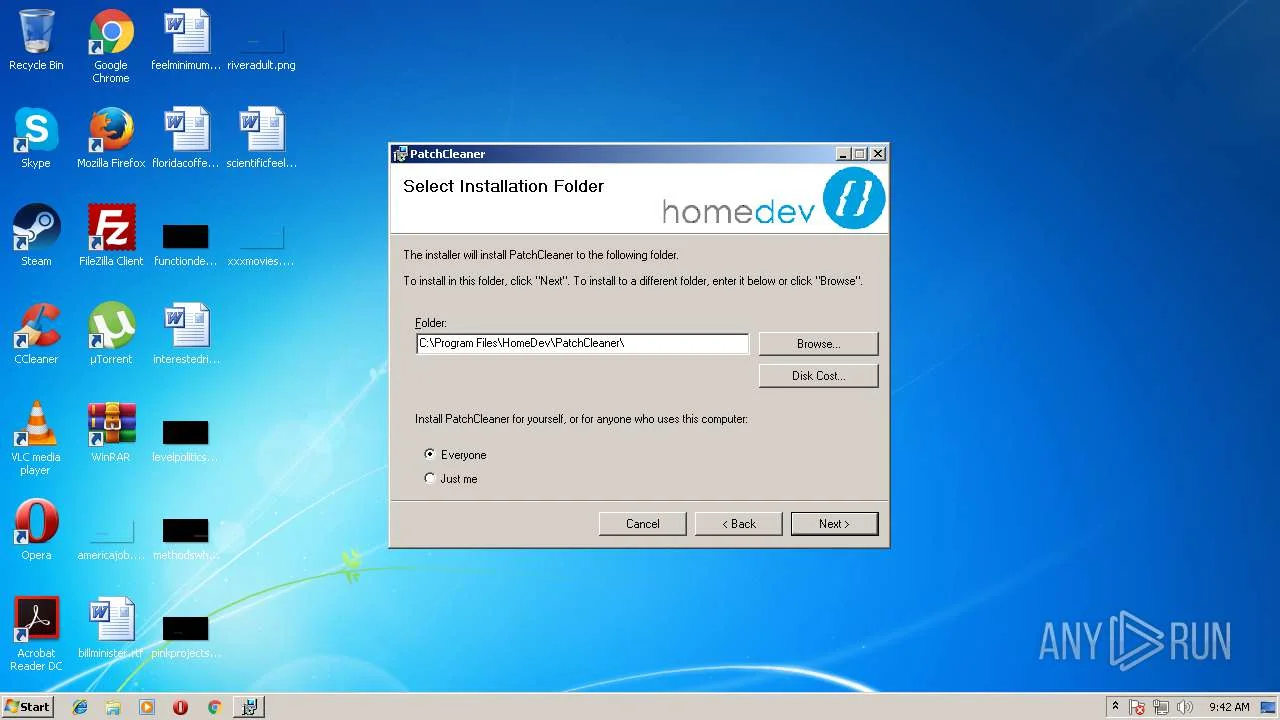
PatchCleaner runs without installation, registry changes, or background services—making it ideal for portable use and professional maintenance tasks.
Key Benefits:
- No installation required
- Leaves no system footprint
- USB-friendly portability
- Perfect for IT professionals
100% Free & Trusted
PatchCleaner is completely free with no ads, subscriptions, or hidden costs, ensuring a secure, privacy-focused, and trustworthy experience.
Key Benefits:
- Free forever
- No ads or bundled software
- Privacy-safe
- Trusted by Windows users
Simple Process
How PatchCleaner Works
PatchCleaner is designed to safely clean unused Windows Installer files without affecting your installed programs or system stability. It uses a smart detection process to identify which files are genuinely no longer required by Windows.
Scanning the Windows Installer Directory
Comparing Active and Orphaned Files
- Files that are still linked to installed applications are marked as active.
- Files that are no longer associated with installed software are considered orphaned.
Identifying Safe-to-Remove Files
- Running installed applications
- Repairing or updating active programs
- System stability or Windows updates
Providing Safe Cleanup Options
- Move Files: Transfers unused installer files to another folder, allowing easy recovery if needed.
- Delete Files: Permanently removes the orphaned files to free disk space.
Freeing Disk Space Without System Risk
By removing only unused installer and patch files, PatchCleaner helps recover valuable disk space without modifying system settings or deleting essential files. The entire process is fast, lightweight, and does not run in the background.
Ensuring Accuracy and Reliability
PatchCleaner operates as a standalone utility with no hidden processes. It performs on-demand scans only, ensuring transparency and user control. This careful, database-driven approach makes PatchCleaner a reliable solution for managing Windows Installer clutter.
Smart Cleanup
Who Benefits from Using PatchCleaner
PatchCleaner is ideal for Windows users who want a safe, efficient, and hassle-free way to remove unused installer files while recovering valuable disk space and maintaining system stability.
Benefits of Using PatchCleaner
PatchCleaner offers a practical and reliable solution for managing unused Windows Installer files. By safely identifying orphaned MSI and MSP files, it helps users maintain a cleaner and more efficient Windows system. Below are the key benefits explained in detail.
Frees Up Valuable Disk Space
Over time, Windows accumulates installer and patch files that are no longer linked to any installed program. These files can consume several gigabytes of storage without the user realizing it. PatchCleaner detects such unused files and allows their safe removal, helping reclaim significant disk space, especially on systems with limited storage.
Reduces System Clutter
Unused installer files create unnecessary clutter within the Windows Installer directory. PatchCleaner cleans this hidden buildup, resulting in a more organized system environment. A clutter-free system is easier to manage and less prone to maintenance issues.
Safe and Reliable Cleanup Process
One of the major advantages of PatchCleaner is its safety-focused design. Instead of blindly deleting files, it compares active installer references with stored patch files to identify only orphaned items. Users can also choose the “Move” option, ensuring files can be restored if needed.
Improves Storage Management
PatchCleaner helps users gain better control over disk usage by addressing a commonly overlooked source of wasted space. This is particularly beneficial for older PCs, laptops with small SSDs, or systems that frequently install and uninstall software.
Simple and User-Friendly Interface
The tool is designed for both beginners and advanced users. With a straightforward interface and one-click scanning, PatchCleaner removes the complexity of manual cleanup while delivering accurate results without technical effort.
Eliminates the Risk of Manual Deletion
Manually deleting files from the Windows Installer folder is risky and can lead to broken applications or update failures. PatchCleaner eliminates this risk by automatically identifying safe-to-remove files, ensuring system stability is not compromised.
Lightweight and Resource-Efficient
PatchCleaner is a lightweight utility that runs without consuming significant system resources. It does not install background services or affect system performance, making it ideal for regular maintenance.
Suitable for Home Users and IT Professionals
Whether you are a casual Windows user trying to free up space or an IT professional managing multiple systems, PatchCleaner provides a dependable and time-saving solution for installer file cleanup.
Completely Free to Use
PatchCleaner is available as a free utility, making it accessible to all users without subscription fees or hidden costs. This makes it an excellent choice for routine Windows maintenance.
Helps Maintain Long-Term System Health
Regular use of PatchCleaner prevents excessive growth of installer files, helping maintain consistent storage availability and reducing long-term system clutter.
Who Should Use PatchCleaner?
PatchCleaner is designed for a wide range of Windows users who want to manage disk space efficiently and keep their systems clutter-free. Below are the key user groups that benefit the most from using PatchCleaner.
Windows Users with Low Disk Space
Users who frequently encounter low storage warnings on their C drive can greatly benefit from PatchCleaner. Over time, Windows accumulates unused installer and patch files that silently consume valuable disk space. PatchCleaner helps identify and safely remove these orphaned files, freeing up space without affecting installed applications.
Users Experiencing a Growing Windows Installer Folder
If the Windows\Installer folder has grown unusually large, PatchCleaner is an ideal solution. Manually managing this folder is risky, as deleting the wrong file can cause software issues. PatchCleaner automates the process and ensures only unused files are targeted
IT Professionals and System Administrators
IT professionals and system administrators often manage multiple Windows machines. PatchCleaner provides a reliable way to maintain storage hygiene across systems, reduce unnecessary disk usage, and minimize support issues related to full drives—especially on workstations and office PCs.
Power Users and Advanced Windows Users
Advanced users who prefer to keep their systems optimized will find PatchCleaner useful as part of regular system maintenance. It offers a safe alternative to manual cleanup methods while maintaining full control over which files are moved or deleted.
Users of Older PCs and Low-Storage Devices
Older computers and devices with limited storage capacity can struggle with accumulated installer files. PatchCleaner is particularly helpful in these cases, as even small amounts of reclaimed space can significantly improve usability and system responsiveness.
Users Looking for a Safe Cleanup Tool
PatchCleaner is well-suited for users who want a simple, focused cleanup tool without unnecessary features. Its ability to move files instead of deleting them outright makes it a trusted choice for cautious users who prioritize system safety.
Why Choose
Smart & Safe Solution for Windows Cleanup
PatchCleaner intelligently detects unused Windows installer and patch files, helping you reclaim disk space without affecting system performance. Fast, lightweight, and reliable — it’s the easiest way to keep your Windows storage clean and optimized.
Smart File Detection
Automatically finds unused MSI and MSP installer files that are no longer needed by Windows.
Safe Cleanup Process
Only orphaned files are selected, ensuring your system remains fully secure and stable.
Free Disk Space Instantly
Reclaim valuable storage on your C drive with a quick scan and safe cleanup. .
Lightweight & Fast
Runs smoothly without slowing down your system or using extra resources.
Easy to Use
Simple and user-friendly interface suitable for beginners and professionals alike.
No Installation Required
Portable tool that works instantly—no setup, no background services.
Safety & Security
Your System’s Safety Comes First
PatchCleaner is built with security as a top priority. It never interferes with system-critical components and uses a careful verification process to ensure only genuinely unused installer patches are selected for cleanup.
No System Files Touched
PatchCleaner works exclusively within the Windows Installer directory and does not modify registry entries or core system files.
Full Transparency
Review every file before taking action. You always know exactly what will be cleaned, keeping complete control in your hands.
Offline & Private
PatchCleaner runs entirely offline. No data is collected, stored, or transmitted—your privacy remains fully protected.
Verified Safe
Scanned by major antivirus vendors and verified malware-free.
- VirusTotal: 0/70
- No Adware
Compatibility
Works on All Modern Windows Versions
PatchCleaner is fully compatible with Windows 7 through Windows 11, supporting both 32-bit and 64-bit architectures.
- Windows 11
- Windows 10
- Windows 8.1
- Windows 8
- Windows 7
- Windows 5
Comparison
PatchCleaner vs Manual Cleaning
Cleaning the Windows Installer folder can free up valuable disk space, but the method you choose matters a lot. Here’s a clear comparison between PatchCleaner and manual cleaning to help users understand why using a dedicated tool is the safer option.
| Feature | PatchCleaner | Manual Cleaning |
|---|---|---|
| Safety Level | ✔ High | ✖ Low |
| File Detection | Automatic & Accurate | Guess Based |
| Risk of System Damage | ✔ Minimal | ✖ High |
| Backup Option | ✔ Available | ✖ Not Available |
| Ease of Use | Beginner Friendly | Advanced Only |
| Time Required | Fast | Time Consuming |
| Expert Recommendation | Recommended | Not Recommended |
Download PatchCleaner Free
Join over 2 million users who have reclaimed their disk space. 100% free, no registration required, no hidden costs.
- Version 1.4.2
- 2.4 MB
- Windows 7/8/10/11
System Requirements
Works on Most Windows Systems
PatchCleaner has minimal system requirements and runs smoothly on virtually any Windows PC.
Operating System
- Windows 11 (all editions)
- Windows 10 (all editions)
- Windows 8.1
- Windows 7 SP1
Processor
- 1 GHz or faster processor
- 32-bit or 64-bit compatible
- Any modern Intel/AMD CPU
Storage
- 50 MB free disk space
- For installation only
- No ongoing storage needed
Permissions
- Administrator privileges
- For scanning system folders
- Required for cleanup
User Reviews
Loved by Millions
See what our users have to say about their experience with PatchCleaner.
Got Questions?
Frequently Asked Questions
Got questions? We’ve got answers. Find everything you need to know about PatchCleaner.
What is PatchCleaner?
PatchCleaner is a free Windows utility designed to identify and manage unused Windows Installer files that consume unnecessary disk space.
Is PatchCleaner free to use?
Yes, PatchCleaner is completely free and does not require any subscription or license.
Who developed PatchCleaner?
PatchCleaner is developed as a lightweight system maintenance tool focused on safe storage cleanup for Windows users.
Does PatchCleaner require installation?
No, PatchCleaner is a portable application and can be run directly without installing it on your system.
Which Windows versions are supported?
PatchCleaner works on modern Windows versions, including Windows 7, 8, 10, and Windows 11.
Is PatchCleaner safe for my system?
Yes, PatchCleaner only targets orphaned installer files that are no longer associated with active programs.
Can PatchCleaner delete important system files?
No, it analyzes system references to ensure active MSI and MSP files are not removed.
What is the difference between Move and Delete options?
The Move option safely transfers unused files to another location, while Delete permanently removes them.
Can I restore files after moving them?
Yes, moved files can be restored easily if required in the future.
Is administrator access required?
Administrator privileges may be needed to scan and manage files within protected system directories.
How do I use PatchCleaner?
Simply run the application, start the scan, review detected files, and choose whether to move or delete them.
How long does the scanning process take?
Scanning usually takes a few seconds, depending on the size of the Windows Installer folder.
How often should I run PatchCleaner?
Running PatchCleaner occasionally, such as after major software updates, is generally sufficient.
Does PatchCleaner run in the background?
No, PatchCleaner runs only when launched and does not consume system resources in the background.
Can beginners use PatchCleaner easily?
Yes, the interface is simple and designed for both beginners and advanced users.
How much disk space can PatchCleaner free?
Recovered space varies, but users often regain hundreds of megabytes to several gigabytes.
Does PatchCleaner improve system performance?
While it primarily frees disk space, improved storage availability can positively impact system responsiveness.
Is PatchCleaner useful for low-storage PCs?
Yes, it is especially helpful for systems with limited storage capacity.
Can IT professionals use PatchCleaner?
Yes, PatchCleaner is suitable for technicians and system administrators managing multiple Windows systems.
Why choose PatchCleaner over manual cleanup?
PatchCleaner automates the detection process, reducing the risk of accidental file deletion and system errors.
PatchCleaner Free Download – Clean Installer Files
Download PatchCleaner to clean MSI and MSP installer files. Improve storage, speed up your PC, and optimize Windows performance easily.
Price: Free
Price Currency: $
Operating System: Windows
Application Category: Software
4.8